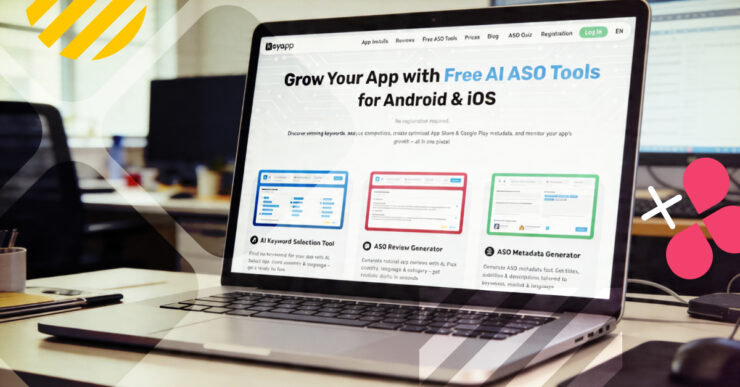
Three free tools for keyword research, metadata generation, and review drafting — no registration required, no paid plan needed.
- Overview:
- The Problem They’re Designed to Solve
- AI Keyword Selection Tool
- ASO Review Generator
- ASO Metadata Generator
- How They Fit Together
- Final Note
Keyapp.top offers the first three ASO tools in a growing suite of free AI-powered features designed to cover the most repetitive parts of an ASO workflow: finding keywords, writing store metadata, and drafting app reviews. These three are just the initial release, with more specialized AI tools currently in development.
All of them are free to use, support both the App Store and Google Play, and are available across multiple countries. They will not replace a full ASO process, but for teams that need to move fast or want to reduce time spent on early-stage work, they are a practical starting point.
The Problem They’re Designed to Solve
Any ASO specialist who has started from scratch on a new app knows the routine. You spend hours brainstorming a keyword list, check search volumes one by one, write and rewrite metadata variations, and eventually draft review templates that sound natural rather than robotic.
It is necessary work, but it is slow, repetitive, and gets in the way of the decisions that actually require judgment. The initial three tools in Keyapp’s free suite address this exact bottleneck. They automate the groundwork so that specialists can spend more time on analysis, campaign planning, and testing.
AI Keyword Selection Tool
The AI Keyword Selection Tool generates a keyword list based on the app you select, the store, the target country, and the language. The output is a ready list of relevant keywords, ranked by relevance, with search popularity scores and estimated traffic where available.
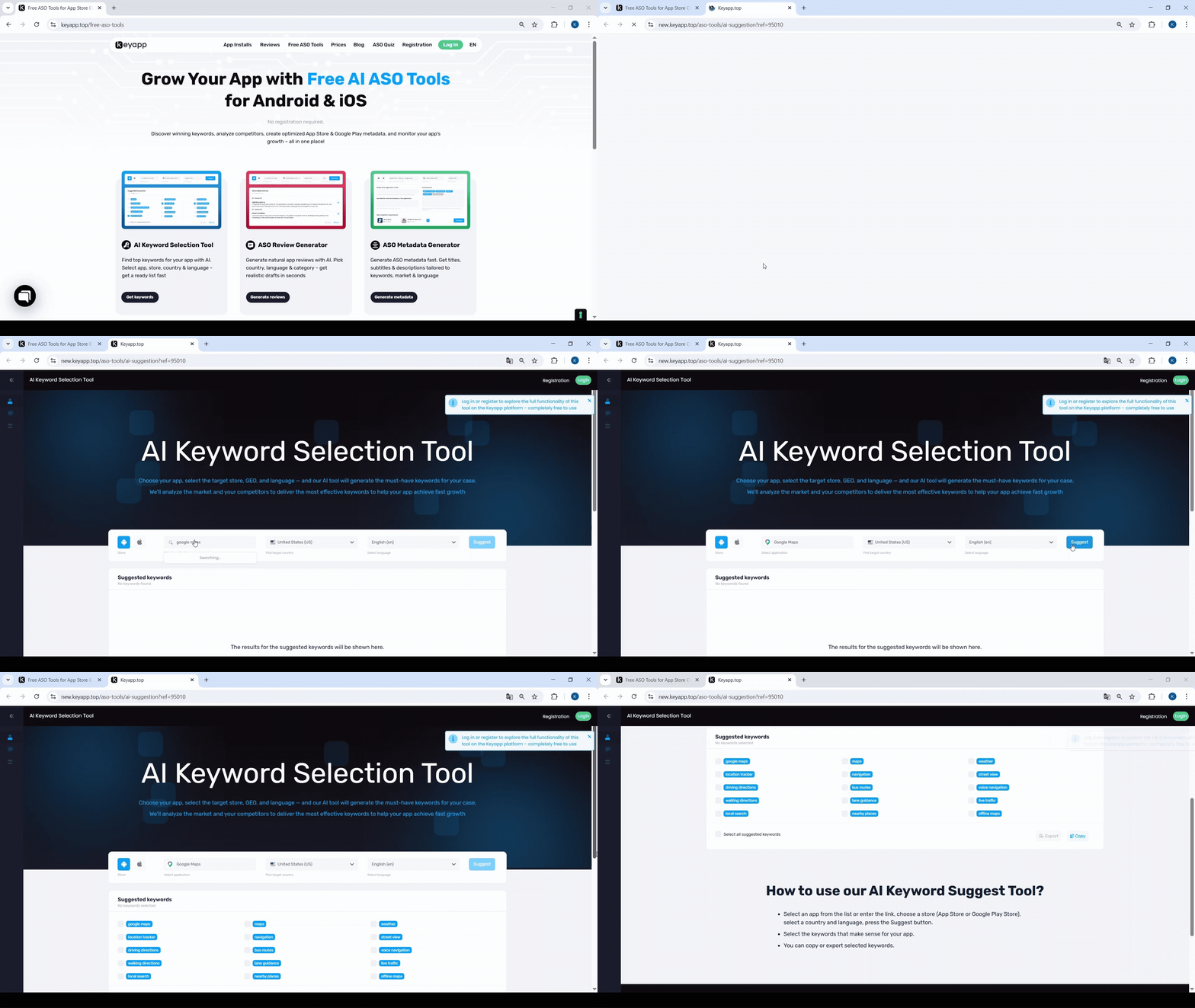
This is the most directly useful of the three tools for anyone working on ASO from scratch. For example, if you input a new fitness app targeting the US market, the tool will return a list of relevant terms ranging from broad head keywords like “workout app” to long-tail variations like “at home workout for beginners”. This gives you a structured starting point for your keyword research, saving you from staring at a blank spreadsheet.
The list is not a final answer, as it needs to be reviewed, filtered, and validated against your real ranking data. However, it gives you a solid foundation to work from, especially when entering a new geographic market where your own intuition about local search behavior is limited.
ASO Review Generator
User reviews are a critical conversion factor, but generating natural-sounding review text for reputation management is tedious. Writing 50 variations of “great app” quickly sounds artificial to both users and store algorithms.
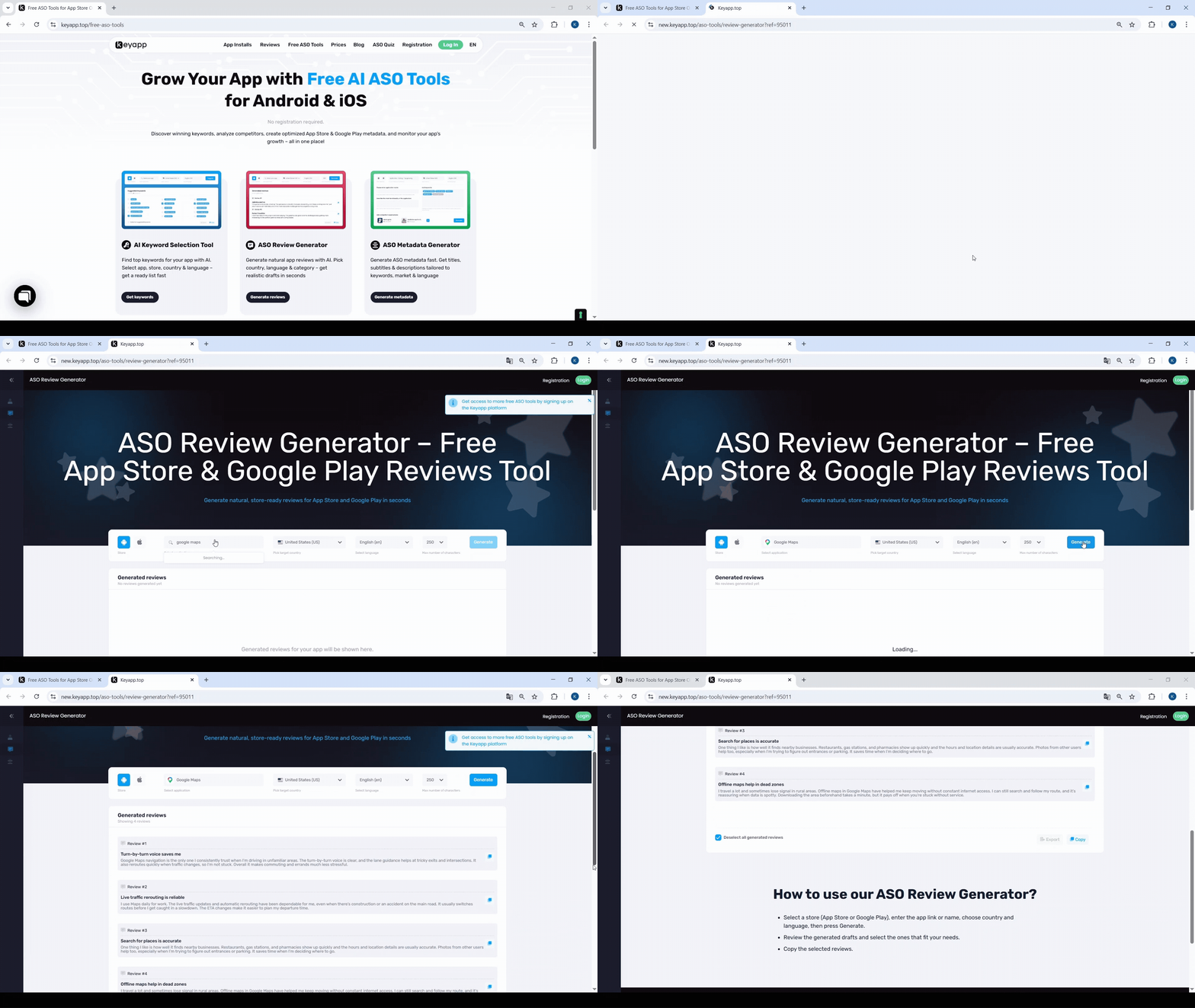
This tool is designed for teams who manage reputation as part of their ASO strategy. Writing review content that reads naturally, avoids repetitive phrasing, and fits the tone of the target market is more demanding than it sounds.
The generator provides a base to work from rather than a production-ready output, but it removes the structural work of writing review drafts from scratch across different languages. Like the other features, it is accessible and usable right on the Keyapp.top platform.
ASO Metadata Generator
Writing app titles, subtitles, and descriptions that include target keywords while remaining readable is a balancing act. It becomes significantly harder when you are localizing for a language you don’t speak fluently. The realistic use case for this tool is not to take its output and paste it directly into the store. Metadata needs to go through review for character count compliance, tone, accuracy, and ideally through A/B testing.
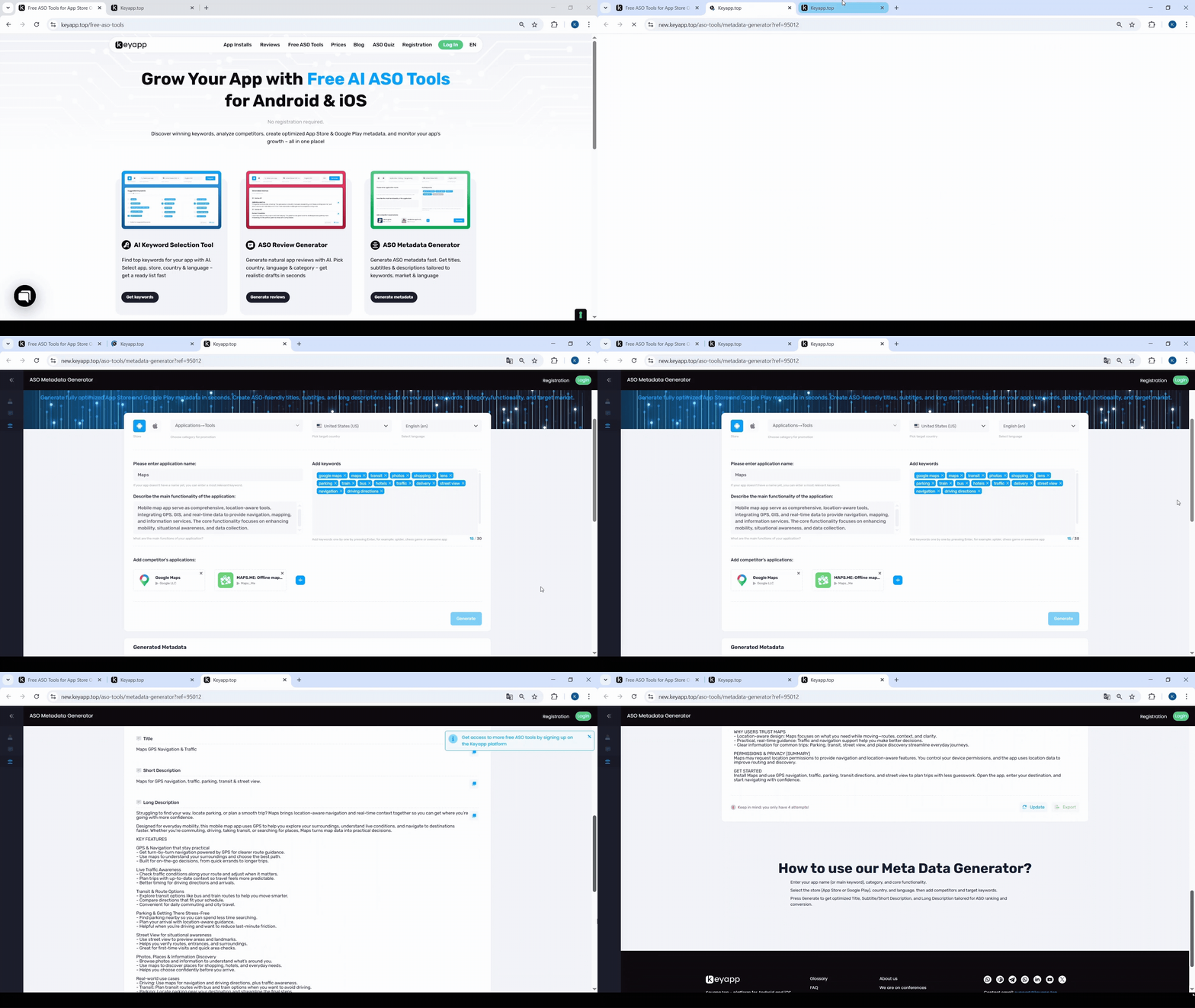
What our metadata generator removes is the blank-page problem. Writing a first draft of a localized description for a market where you are not a native speaker is genuinely hard, and getting a structured starting point that already incorporates the target keywords saves meaningful time.
For teams managing apps across multiple localizations, this is where the time savings are most visible. Generating a first-draft description for Japanese, Brazilian Portuguese, and German in sequence takes minutes rather than a full working session.
How They Fit Together
These tools are designed to work sequentially. You can use the Keyword Selection Tool to identify your core keywords, feed those keywords into the Metadata Generator to build your store listing, and finally use the Review Generator to prepare the text for your initial reputation management promotion.
The free tools are most useful in three specific scenarios: when you are starting keyword work on a new app and need an initial list quickly; when you are entering a new market and need localized metadata without extensive manual research; and when you are handling review management and want draft content to adapt rather than write from scratch.
For users already running active keyword promotion campaigns on the Keyapp platform, these tools fit naturally into the pre-campaign phase. They help structure keyword selection before installs are purchased and prepare metadata revisions that support ranking improvements once campaigns are running.
Final Note
Free ASO tools in this space tend to fall into two categories: generic AI outputs that aren’t specific enough to be useful, or stripped-down versions of paid features that require sign-up before they show you anything. The first wave of Keyapp’s free tools sits outside both of those patterns.
They are specific to the app and market you are targeting, work without registration, and are hosted directly on our website. They will not replace the analytical work that experienced ASO specialists do. However, they reliably handle the parts of the workflow that consume time without requiring much judgment, which is a reasonable trade for a free tool. We are continuously developing new AI-powered features, and more tools will be added to this free suite in the future.