A feature-by-feature look at pricing, tools, GEO coverage, and support for teams choosing between these two app promotion platforms.
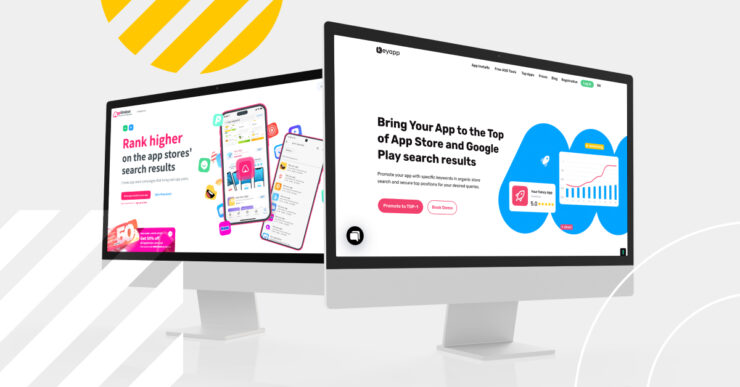
Keyapp and Apptimizer are both app promotion platforms, but they cover different ground. Keyapp specializes in keyword and category installs designed to directly improve app ranking positions on Google Play and the App Store. Its key strengths are high quality install traffic, a 100% free self-serve ASO tool suite, a dedicated personal manager included at no extra cost, and transparent pay as you go pricing with zero subscription lock in.
Apptimizer runs a self-serve dashboard that covers installs, ratings, reviews, trend-style campaigns, and a fixed-price managed package. Its exact rates and country coverage only appear after you register. For keyword installs specifically, Keyapp’s published pricing and long track record make it the more transparent, specialist choice.
Keyapp at a Glance
43k+
Clients
10 yrs
On the market
200+
Regions
Feature & Capabilities Matrix
| Feature | Keyapp | Apptimizer |
|---|---|---|
| Dedicated personal manager | Yes | Partial |
| No-signup free ASO tools | Yes | No |
| Published price plan | Yes | No |
| Self-serve, pay-as-you-go control | Yes | Yes |
| Published GEO list | Yes | Not published |
| Fixed-price, goal-based managed tier | No | Yes |
Figures reflect each provider’s published pages and, where noted, its account dashboard, at the time of writing, August 2026. “Not published” means the information does not appear on the provider’s public pages, not that the feature is absent.
Free Tools and Workflow Availability
Keyapp allows use of several ASO tools with no registration: a Metadata Generator, an AI Keyword Selection Tool, and Top Mobile Apps Charts. A free account on the platform also unlocks full analytics: keyword rank tracking, rank history, and competitor analysis that shows which keywords an app already ranks for in a chosen region.
Apptimizer’s public pages focus on ordering keyword installs, ratings, and reviews, not on a research toolkit. Inside its dashboard, an active campaign shows a live rank for its target keyword, but only while that campaign runs. It is not a free, standalone research tool. To see pricing or coverage, you need to sign up first.
Pricing Transparency and Billing Models
Keyapp prices keyword installs across six published tiers. Android installs start at $0.12 per install, and iOS installs start at $0.20 per install. Every tier is listed on a public price page, there is no monthly subscription, and new accounts get 50% off their first order.
Apptimizer’s exact rates are not on its public page. They appear once you register and set up a campaign. In one example for the United States, Apptimizer priced Google Play installs at $0.25 and App Store installs at $0.28, both higher than Keyapp’s published install prices. Apptimizer also offers ratings and reviews as an add-on service.
GEO and Store Coverage
Keyapp publishes exact coverage: 200+ regions for Android keyword promotion and 115 countries for iOS. Apptimizer’s public pages do not list a specific country or region count. Its dashboard lets you pick a target country per campaign, but there is no published list to check in advance.
Support Model and Strategic Guidance
Keyapp assigns a personal manager at the start of every client relationship, at no extra cost, and can build a free custom launch plan for new apps. Apptimizer’s public pages do not describe a defined account manager or onboarding process. Its fixed-price package comes closest, since Apptimizer plans and runs the campaign toward a stated goal, but this is part of a specific paid tier, not something included by default.
Who Should Choose Which Platform
Keyapp is the better fit if you:
- Need high-quality keyword and category installs
- Want to research metadata, keywords, and competitors with a 100% free tool suite
- Value seeing exact pricing before you commit
- Want a dedicated personal manager
- Need a published country list
Apptimizer may fit if you:
- Want lower prices specifically for ratings and reviews
- Want a direct order flow, or a fixed-price package
- Are comfortable funding an account balance and checking pricing from inside the platform
Frequently Asked Questions
Is Keyapp a good alternative to Apptimizer?
Yes, especially for keyword and category installs. Keyapp publishes every install rate, offers several free tools with no signup, and includes a personal manager by default. Apptimizer offers a direct order flow for installs, ratings, and reviews, plus trend-style and fixed-price campaign options.
Does Keyapp charge a monthly subscription?
No. Keyapp uses a pay-per-install model with published rates and no forced monthly plan. You only pay for what you order.
Does Apptimizer publish its prices?
Not on its public page. Once you register and set up a campaign, Apptimizer shows specific per-install, per-rating, and per-review prices for your chosen app and country, alongside campaign packages starting at $25 and a fixed-price managed tier starting at $499. Keyapp is the more transparent option if you want to see install costs before creating any account.
The Verdict
Keyapp and Apptimizer serve different needs. Keyapp’s focus is narrow: keyword and category installs, backed by a fully published rate card, several free tools with no signup, a public GEO list, and a personal manager from day one, all built on more than 10 years in the market and a track record of 43,000+ clients. Apptimizer covers installs, ratings, reviews, trend campaigns, and a managed package, but its rates only appear after signup. Teams that want a high-quality trusted service, dedicated specialist with transparent pricing typically start with Keyapp.
Try Keyapp before you spend a dollar. Run a keyword search and generate metadata with Keyapp’s free ASO tools, no account required, then compare the results against what you pay elsewhere.