

Copy link of application’s review is very simple:
1) Open your application in Google Play Store
2) Scroll down to find desired user review
3) Press “3-dots” button and select “Link to this review”
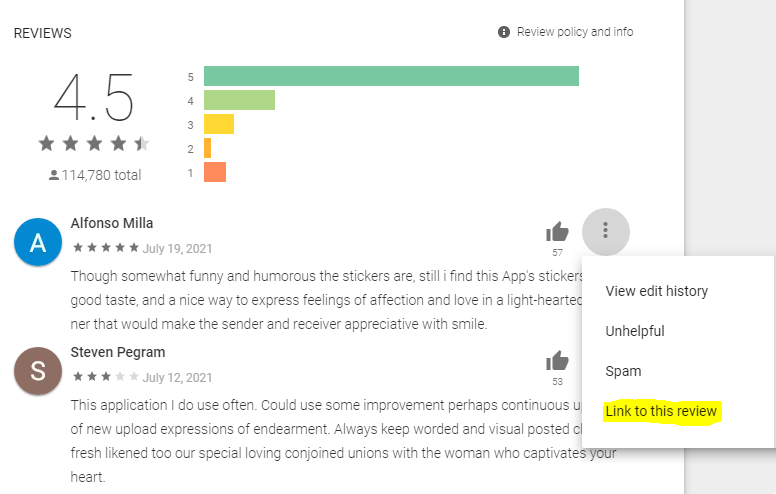
4) After page is refreshed, select & copy full review link from browser’s address bar to clipboard

5) Paste this link wherever you need