Building a strong semantic core is one of the most important – and often most challenging – parts of ASO. Finding the right keywords, understanding their potential, and deciding which ones are worth targeting can take a lot of time and manual work.
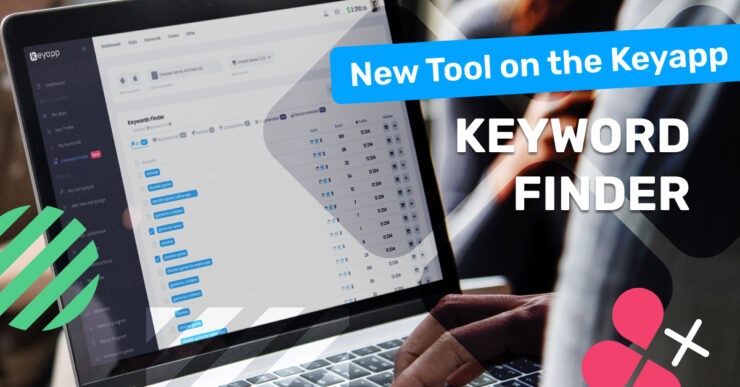
That’s why we’re introducing Keyword Finder – a new tool designed to simplify keyword research and help you discover new growth opportunities faster. With Keyword Finder, you can easily expand your semantic core, explore relevant keyword ideas, and make more confident decisions when planning your ASO strategy.
Whether you’re launching a new app or scaling an existing one, Keyword Finder helps you move from guesswork to data-driven keyword selection – all in one place.
Problems Keyword Finder Solves
Finding relevant keywords takes too much time
Manually searching for keywords, checking their relevance, popularity, and intent can take hours – especially when you need quality results, not just random suggestions. Keyword Finder automates this process and instantly shows keywords that actually matter for your app.
Building a semantic core for multiple geos is challenging
What works in one country often doesn’t work in another. Different markets use different wording, search behavior, and intent. Keyword Finder helps you discover relevant keywords for each specific geo, making international ASO much more manageable.
Lack of visibility into all indexed keywords
It’s often unclear which keywords your app is already indexed for and which ones bring organic visibility. Keyword Finder analyzes all indexed keywords for your app, giving you a clear picture of your current semantic footprint.
Limited access to competitor keyword data
Understanding which keywords your competitors are indexed for is crucial for growth, but collecting this data manually is complex and incomplete. Keyword Finder allows you to analyze competitors’ indexed keywords and uncover opportunities you might be missing.
How Keyword Finder Works
Keyword Finder is a brand-new page inside your Keyapp dashboard, designed specifically to help you expand and structure your semantic core faster and smarter.
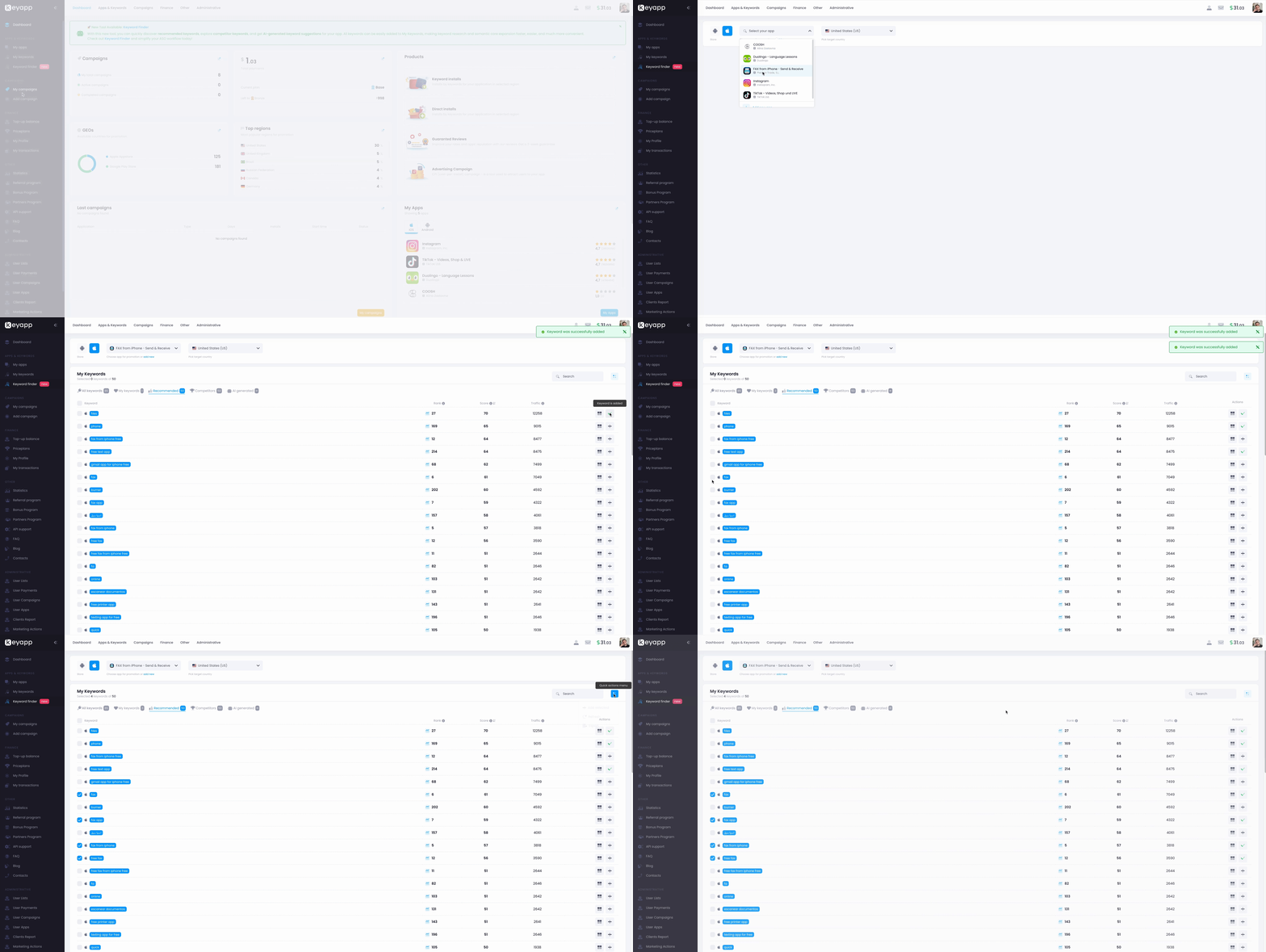
The tool works for both App Store and Google Play and supports multiple geos. From the user’s side, the process is so easy: you just add your app to the platform, open the Keyword Finder section, choose the app and the target country – and the system instantly generates keyword data for you. No additional setup, no manual research across multiple tools.
Once selected, Keyword Finder provides several keyword views, each solving a different ASO task.
Recommended Keywords
The Recommended tab is built around your app’s current indexation.
Here, we analyze all keywords your app is already indexed for in the selected geo and sort them by score, from highest to lowest.
This allows you to instantly understand:
- which keywords already perform well
- where your app has strong visibility
- which keywords are the best candidates for semantic core expansion or keyword promotion.
For each keyword, you see the current app rank, keyword score, and traffic level. From the same page, you can open the search results, analyze competitors, and add selected keywords directly to My Keywords without switching between tools.
Competitor Keywords
The Competitors tab focuses on market opportunities.
Here, Keyword Finder analyzes apps marked as similar or competing with yours and extracts the keywords they are indexed for in the chosen geo.
This view helps you discover:
- keywords you may be missing
- competitor-driven demand
- new directions for semantic expansion.
All keywords are shown with ranks, scores, and traffic data, making it easier to evaluate whether a keyword is worth testing or promoting.
AI-Generated Keywords
In the AI Generated tab, we use our internal AI models to suggest additional keywords tailored to your app.
The AI analyzes your app’s category, metadata, and market context to generate relevant keyword ideas. As with other tabs, each keyword comes with rank, score, and traffic metrics, allowing you to quickly validate their potential before adding them to your workflow.
Working with Keywords
Regardless of the tab, Keyword Finder gives you full flexibility:
- add keywords to My Keywords
- export keyword lists
- review ranks, scores, and traffic
- preview search results for any keyword.
In short, Keyword Finder replaces hours of manual keyword research with a single, unified workflow – helping you build stronger semantic cores and make data-driven ASO decisions faster.
Who Keyword Finder Is For
Keyword Finder is built for anyone who works with app visibility, growth, and ASO – whether you’re just starting or scaling across multiple markets.
For ASO specialists and growth marketers, it becomes a daily working tool. Instead of switching between multiple dashboards or manually validating keyword ideas, you can quickly see which keywords actually matter for your app, how strong they are, and where real opportunities exist. This makes semantic expansion faster, more structured, and much more data-driven.
For app founders and product teams, Keyword Finder helps remove the guesswork from ASO. Even without deep ASO expertise, you can clearly understand how your app is indexed, which keywords bring potential traffic, and how competitors are positioning themselves in search. It’s an easy way to make smarter decisions when entering new geos or planning keyword promotion.
For teams working with multiple geos, the tool is especially valuable. Building semantic cores for different countries is time-consuming and often inconsistent. Keyword Finder simplifies this by letting you analyze indexed keywords, competitors, and AI-generated suggestions separately for each geo – all in one place, with the same logic and metrics.
For performance and UA teams, Keyword Finder works as a strategic layer on top of keyword installs. It helps identify which keywords are worth investing in, which ones are better suited for organic growth, and how to prioritize keywords based on score, rank, and traffic before launching campaigns.
In short, Keyword Finder is designed for anyone who wants to:
- build stronger semantic cores faster
- understand real keyword potential across markets
- base ASO and keyword promotion decisions on data, not assumptions
Whether you manage one app or dozens, Keyword Finder helps turn keyword research into a clear, scalable process.
Keyword Finder vs Manual Keyword Research
Manual keyword research often means juggling multiple tools, exporting spreadsheets, checking rankings one by one, and constantly switching between competitors, geos, and search results. It’s time-consuming, fragmented, and heavily dependent on experience and assumptions.
Keyword Finder simplifies this process by bringing everything into one place. Instead of manually collecting and validating keywords, you get a ready-to-use semantic base built on real store data: indexed keywords, competitor coverage, AI suggestions, rankings, scores, and traffic – all within a single interface.
With Keyword Finder, you don’t just save time. You reduce guesswork, work with structured data from day one, and make decisions faster – whether you’re building a semantic core, expanding to new markets, or selecting keywords for promotion.
In short:
- manual research focuses on finding keywords,
- Keyword Finder focuses on finding the right keywords, faster.
Sum Up
Building a strong semantic core is one of the most important parts of ASO – and one of the most time-consuming. Finding relevant keywords, validating their potential, and understanding how they perform across different geos often requires hours of manual work.
Keyword Finder was created to simplify this process. It brings keyword discovery, competitor analysis, and AI-driven suggestions into one place, helping you expand your semantic core faster and with more confidence.